
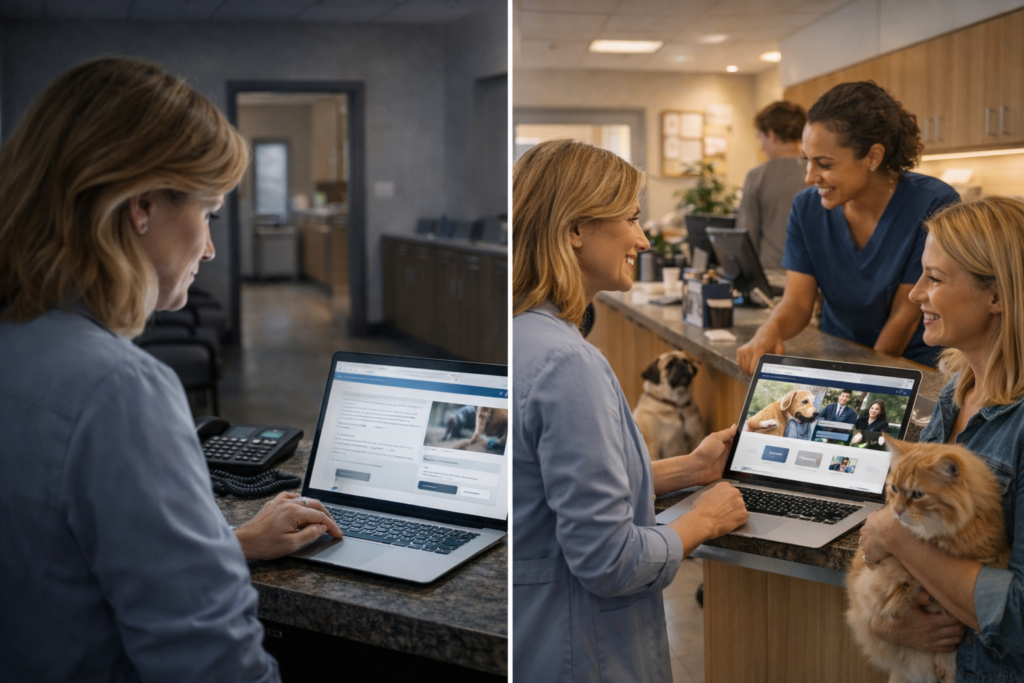
Most veterinary websites are not failing because of bad design — they are failing because they were built like brochures when they should work like a trained front desk assistant. A veterinary website must do one specific job: take a pet owner who found you online and turn them into a booked appointment. This guide shows you exactly how.
What a Veterinary Website Is Actually Supposed to Do
Your veterinary website is not a digital business card or a placeholder so you “have a presence online.” It is the most important conversion asset your clinic owns — available 24 hours a day, seven days a week, to every pet owner who searches for your services.
A high-performing veterinary website must help pet owners do five things within seconds:
Frame this clearly: your veterinary website is a trust and appointment conversion system, not a passive information display. Every design decision, every sentence, every button should be measured against one question: does this make a pet owner more or less likely to book?
Why Most Veterinary Websites Fail to Convert
Veterinary websites frequently look acceptable on the surface but fail at the function that matters most — turning website visitors into booked appointments.
The most common conversion killers
Unclear homepage messaging: The headline says something generic like “Caring for Your Pets” with no location, no species list, no service clarity. A pet owner who landed from Google cannot immediately confirm this clinic is the right one for them.
Weak or absent trust signals: Stock photos of dogs and cats, no real team photos, no bios, no reviews on the page. Pet owners are entrusting their family members to strangers; generic imagery does not build confidence.
Confusing navigation: Eight menu items of equal weight, with no clear path for “I need to book” or “This is an emergency.” Visitors who cannot find what they need in two clicks leave.
Hidden contact options: The phone number is in the footer, in small text, not clickable on mobile. The booking button is at the bottom of the services page. Contact information should be impossible to miss on every page.
No clear next step: The page educates but never asks for action. No visible “Book Now,” no “Call Us,” no online appointment request — leaving the visitor to guess what to do next.
Poor mobile experience: Navigation menus that require pinching, phone numbers that aren’t tap-to-call, forms that don’t fit a phone screen. Most local searches happen on mobile; a broken mobile experience kills conversion before trust is even built.
Generic presentation: A clinic that looks and sounds like every other clinic online gives pet owners no reason to choose it over the others they found in the same search.
No emotional reassurance: Pet owners are often anxious. A clinical, corporate-feeling site increases hesitation. Warmth and human presence in visuals and tone reduce anxiety and increase bookings.
No local relevance: No city or neighborhood reference, no embedded map, no local proof. Pet owners need to know instantly that you are nearby and relevant to them.
Friction-heavy booking: Multi-step forms, required account creation, no confirmation messaging, no response time promise — all of these make pet owners abandon the process and call a competitor instead.
What Pet Owners Must See in the First 5–10 Seconds
Research on local business search behavior shows that 88% of people who search for a local business on mobile either call or visit within 24 hours — meaning the decision window is extremely short. Your veterinary website has approximately 5–10 seconds to answer the questions in a pet owner’s mind before they bounce.
The six questions your above-the-fold section must answer
- “Is this a vet clinic?” — Obvious headline or tagline that names your service type.
- “Where are they?” — City or neighborhood visible immediately; not buried in footer.
- “Do they treat my pet?” — Dogs, cats, exotics, rabbits, horses — stated or implied immediately.
- “What can they help me with?” — A clear, brief service summary or navigation path.
- “Can I easily get hold of them?” — Phone number in the top right, tap-to-call on mobile, booking CTA visible without scrolling.
- “Do they seem trustworthy?” — Real clinic image or team photo, not a generic stock image.
Above-the-fold checklist
- Clear headline focused on outcomes (not just your clinic name)
- Visible city/neighborhood reference
- Prominent click-to-call phone number
- “Book Appointment” button above the fold
- Real hero image: your team, your clinic, or your patients (not stock photos)
- Brief emergency guidance or link to emergency protocol (even one line: “Need emergency care? Call [number] or visit [link]”)
A pet owner who cannot confirm within 10 seconds that you are local, trustworthy, and easy to book with will leave — and they will book with a competitor who made that obvious immediately.
Homepage Elements That Actually Drive Appointments
The homepage is your clinic’s most important conversion page. It does not need to say everything — it needs to guide website visitors toward confident action as quickly as possible.
What the homepage must include
Strong value proposition
A headline that is specific, local, and outcome-focused:
- Weak: “Your Trusted Veterinary Partner”
- Stronger: “Full-service veterinary care for dogs and cats in [City] — same-day appointments available”
Service overview
A brief, scannable list or icon grid covering your main veterinary services. Not an exhaustive catalog, but enough to confirm you offer what the visitor needs.
Primary and secondary CTAs (Calls to Action)
| CTA Type | Placement | Purpose |
|---|---|---|
| “Book Appointment” (primary) | Header + hero section | Routine and wellness bookings |
| “Call Now” (secondary) | Header, sticky bar | Urgent and immediate contact |
| “Request Appointment” | Mid-page + footer | Less urgent, form-based |
| “Emergency Line” | Visible but separate | After-hours and acute care |
Emergency guidance
Even if you are not an emergency vet, tell visitors exactly what to do after hours. Uncertainty about emergencies creates fear; clarity builds trust.
Trust-building visuals
Real photos: your team together, individual vets with patients, your exam rooms, your reception area. Pet owners want to see that real humans with warmth and expertise are waiting for their animals.
Reviews and social proof
A curated block of 2–4 real client testimonials, linked to your full review profile. Testimonials that address specific fears (“I was nervous about surgery — the team was incredible”) work better than generic five-star excerpts.
Key service links
Direct links to your most searched pages: wellness exams, vaccinations, dental care, puppy/kitten, emergency/urgent care, new client information.
Hours and location
Your hours and address visible without scrolling, ideally with an embedded map or link to directions. Clinic hours should include any after-hours or emergency arrangements.
Team credibility
A brief “Meet Our Team” teaser with real photos and first names. Trust is created fastest by faces.
What not to clutter the homepage with:
- Long paragraphs of clinic history
- Overloaded navigation with 10+ items
- Auto-playing videos with audio
- Pop-ups that trigger before the page loads
- Excessive internal links that scatter visitor attention
Essential Pages Every Veterinary Website Must Have
Each of these pages serves a dual purpose: supporting organic local search and converting website visitors into booked appointments.
Core pages
- Homepage: Positioning, primary CTAs, trust, service overview, social proof.
- About / Team page: The story of your veterinary practice, individual bios with photos, credentials, and personal touches (their own pets, why they chose veterinary medicine).
- Services overview page: A clear hub that links to individual service pages, helping both pet owners navigate and search engines understand your structure.
- Emergency / urgent care page: What you handle, what you refer, after-hours contact, nearest 24-hour emergency vet if you don’t cover it. Make this easy to find from every page.
- New clients page: What to expect at a first visit, what to bring, how to prepare anxious pets, your onboarding process, and downloadable forms.
- Appointment / booking page: Simple online booking or request form with minimal required fields, response time promise, confirmation messaging, and phone number backup.
- Contact / location page: Full address, embedded map, parking notes, phone, email, hours including holidays, and clear directions by public transport if relevant.
- Reviews / testimonials page: A curated collection of reviews by service and patient type.
- FAQs page: Answers to the questions your front desk gets every day, structured for featured snippets.
- Blog / resources: Seasonal pet health tips, preventive care guidance, dental care myths — content that earns search traffic and demonstrates ongoing expertise.
High-intent service pages
Each of these should be a standalone SEO page, not a bullet on a generic services list:
- Wellness exams
- Vaccinations and preventive care
- Dental care
- Surgery
- Diagnostics and imaging
- Puppy and kitten care
- Senior pet care
- Parasite prevention
- Behavioral consultation (if offered)
- Species-specific pages (feline, exotic, equine) where relevant
Each service page should explain what the service is, why it matters to your pet, what the process involves, and have a clear “Book This Service” CTA. These pages attract the highest-intent searches — pet owners who already know what they need and are deciding who to trust for it.
Trust Signals That Make Pet Owners Feel Safe
Trust is not a nice-to-have feature in veterinary website design — it is the primary conversion driver. Pet owners are handing over their emotional family members to strangers. Every element that increases trust reduces hesitation and increases bookings.
The trust signals that matter most
Real team photos and bios
Individual photos of each veterinarian and key staff member — genuine, warm, professional. A bio that includes: years of experience, special interests (oncology, feline medicine, exotics), veterinary school or professional credentials, and a human note (their pets, their passion for the job).
Credentials and accreditations
AVMA, AAHA accreditation, Fear Free certification, Cat Friendly Practice status, Royal College membership (where relevant), specialist qualifications. These are meaningful signals that tell pet owners your standards are externally verified.
Real clinic photos
Photos of your actual examination rooms, waiting area, surgical suite, laboratory, and equipment — not stock photos. Transparency about your physical environment is a strong trust signal.
Visible review count and rating
Aggregate star rating from Google visible on the homepage and service pages, ideally as a live widget or regularly updated quote block.
Before/after trust messaging
Rather than before/after images (which require sensitivity), use trust-focused messaging: “Here’s what happens during a dental cleaning,” “Here’s what our surgical monitoring looks like,” “Here’s exactly what we do to keep anxious cats comfortable.”
Care philosophy and process transparency
Explain how you practice veterinary medicine: your communication approach, how you handle treatment discussions, how you involve pet owners in decisions, and what your follow-up looks like.
Emergency preparedness
Clearly explain what happens if a pet has an emergency during or after normal hours. Pet owners think about worst cases, and knowing you have a plan is itself a trust signal.
Species-specific confidence
If you specialize in cats, birds, or exotics, make that prominent. Specialized confidence reads as higher expertise and is worth more than generic “we love all animals” language.
Booking UX: Make Appointments Easy, Not Frustrating
Conversion rate optimization for pet services is fundamentally about reducing friction in the appointment process. Bad booking UX kills appointments even when your clinic is otherwise trusted and well-positioned.
Online booking essentials
A 2024 industry analysis found that many pet owners prefer text or online booking over phone calls. Providing multiple contact methods dramatically increases total appointment capture.
What works:
- Integrated online booking or appointment request directly on your website (not a pop-out to a third-party login system with account creation required)
- Short forms: pet name, pet species, contact info, reason for visit, and preferred date — that is all most pet owners will tolerate
- Immediate confirmation (on-screen + email/SMS) with expected response time clearly stated
- Mobile-optimized booking that works perfectly on a 5-inch phone screen
What hurts:
- Requiring account creation before booking
- Forms that break on mobile
- No confirmation or acknowledgment after submission
- Long, multi-step processes for simple wellness appointments
- No alternative contact for after-hours visitors who can’t book online
Click-to-call placement
Your phone number should appear:
- In the sticky header (on every page)
- As a tap-to-call button in the hero section
- Midpage on every service page
- In the footer
A pet owner looking for a vet at 8 p.m. on their phone with a sick animal should be able to call you in under two seconds from any page on your site.
After-hours contact clarity
Clearly explain:
- When phones are answered
- What to do for urgent issues outside those hours
- Whether you have an on-call line
- Which nearby emergency vet you recommend
- Whether text/SMS is available
Uncertainty about what to do in an emergency causes pet owners to choose a competitor who made the answer obvious.
Mobile Experience: Where Conversions Are Won or Lost
Mobile conversion is not optional: conversion rates for mobile-optimized sites are up to 64% higher than for desktop-oriented sites. Pet owners searching “vet near me” or “emergency vet” are almost always on a phone, frequently anxious, and in a hurry.
Mobile UX checklist
- Tap-friendly buttons: All CTAs and navigation targets should be at least 44px tall and easy to press with a thumb.
- Sticky header with CTA: Phone number and booking button always visible as the user scrolls.
- Fast page load: Compress images, minimize scripts, use reliable hosting; slow pages rank lower and convert worse.
- Scannable content: Short paragraphs, clear subheadings, bullet points — not dense blocks of text on a small screen.
- Click-to-call everywhere: Never display a phone number on mobile that is not a tel: link.
- Tap-to-navigate: Address linked to Google Maps for one-tap directions.
- Short, mobile-ready forms: Remove every unnecessary field from mobile booking forms.
- Readable font sizes: Body text should be at least 16px; no microscopic footer text.
Your mobile site should be tested by trying to book an appointment or call the clinic from a phone with only one hand — the way a distressed pet owner would actually do it.
Service Pages That Attract Visitors and Convert Them
Generic services pages (“We offer vaccinations, wellness exams, and surgery”) do almost nothing for SEO or conversion. Dedicated service pages, each targeting a specific veterinary service, attract pet owners who are already decision-ready.
What every service page must answer
Pet owners arriving at a service page have specific concerns:
- “Do you offer this?” — Stated clearly in headline and opening paragraph.
- “Is this right for my pet?” — Species, age group, situation explained.
- “Why should I trust you for this?” — Relevant credentials, equipment, experience.
- “What actually happens?” — Process, duration, recovery, what to bring.
- “What does it cost (or how do I find out)?” — Transparency about pricing or a clear “request an estimate” path.
- “How do I book?” — Visible CTA specific to this service (“Book a Dental Consultation”).
Local SEO value of service pages
Optimized service pages like “dog dental cleaning [city]” or “cat vaccinations [neighborhood]” capture high-intent local searches that a generic homepage cannot rank for. Each page is a new entry point, a new opportunity to intercept pet owners who are already looking for exactly what you offer.
What helps service pages:
- Service-specific headline with location signal
- Structured FAQ block at the bottom (earns featured snippets)
- Internal links to related services and booking page
- Real photos relevant to that service
- Testimonials from clients who had that specific procedure
What hurts service pages:
- Copied-and-pasted descriptions with no local relevance
- No CTA or buried CTA
- No FAQ or educational content
- Generic stock imagery
Local SEO Elements Every Veterinary Website Must Include
One analysis found that an optimized Google Business Profile drives an average of 48 phone calls and 59 website clicks per month; businesses with photos see 42% more direction requests and 35% more website clicks. Your veterinary website must reinforce all of that with strong on-site local signals.
On-site local SEO checklist
- NAP consistency: Your clinic name, address, and phone number must be identical across your website, Google Business Profile, all directories, and social media.
- Embedded Google Map: On your contact page and footer; provides local relevance signal and makes directions frictionless.
- Location-specific keywords: City, neighborhood, and region names used naturally in headlines, service pages, and meta descriptions.
- Service + location pairings: Pages optimized for “vet clinic [city],” “dog vaccinations [city],” “emergency vet [neighborhood].”
- Schema markup: LocalBusiness and Veterinarian schema on your homepage and contact page (name, address, phone, hours, geo-coordinates, services offered). Also add FAQPage schema to your FAQ sections to qualify for featured snippets.
- Location pages: If you have multiple locations, each should have its own fully developed page with unique content.
- Local proof and community relevance: Mention of local landmarks, partnerships with local shelters, community events, or neighborhood organizations.
- Consistent link between GBP and website: Ensure your website URL is correctly set in your Google Business Profile, and that your hours and contact info match perfectly.
Reviews, Testimonials, and Social Proof Placement
Online reviews work as trust signals not just on Google, but when embedded across your veterinary website. The goal is to ensure that wherever a pet owner lands — homepage, service page, booking page — they encounter social proof before they are asked to take action.
Where reviews should appear
- Homepage: A featured testimonial block (2–4 reviews) near the mid-page, after the services overview but before the CTA. Include pet name, service received, and a specific outcome detail.
- Service pages: One or two testimonials specific to that service (“Max recovered faster than we expected after his surgery — the post-op care was excellent.”).
- New clients page: Reviews that specifically address first-visit anxiety or welcome experiences (“I was nervous bringing my cat in — the team was incredibly gentle and explained everything.”).
- Booking page: A single well-chosen review near the booking form, directly addressing hesitation (“Booking was easy and we were seen same-day.”).
How to use testimonials without cluttering
- Curate for specificity, not just star rating; specific details feel authentic.
- Include the pet’s name when possible — “Bella’s owner” is more credible than an anonymous quote.
- Always link to your live Google review profile so skeptical pet owners can verify the volume of reviews independently.
- Respond to all reviews in your Google Business Profile — positive and negative responses are visible on your website when you embed a review widget, and they signal how you treat clients.
Conversion Elements Most Clinics Forget
These are the elements competing veterinary websites almost universally omit, yet each one directly reduces hesitation and increases booking confidence.
- “What to expect on your first visit”: A step-by-step walk-through of the new client experience. What to bring, what to expect, how long it takes, what parking is like, how to prepare your pet. This is one of the most common pre-booking concerns and almost nobody answers it clearly.
- Payment and financing clarity: Even a brief note — “We accept all major payment cards and offer CareCredit financing” — removes a top barrier for pet owners who fear being surprised by bills.
- Pre-arrival forms: Online intake forms that can be completed before the appointment reduce waiting room time and signal organizational professionalism.
- Species-specific reassurance: A “Cat-Friendly Practice” section, a separate feline waiting area note, or an exotics specialist page tell species-anxious owners they have come to the right place.
- Emergency guidance section (separate from general contact): What counts as an emergency, what to do right now, whether to call ahead, how to transport an injured animal safely.
- Aftercare and follow-up expectations: What happens after a surgical procedure, who calls to check in, how long recovery takes — this reduces post-booking anxiety and builds long-term loyalty.
- Clinic tour visuals or video: A short, authentic visual walkthrough of your space answers an underrated question: “Will my pet feel safe there?”
- Wellness plan or preventive care plan explanation: If you offer bundled preventive care, explain it clearly with cost-per-month comparisons. Clarity here converts curious visitors into annual recurring clients.
- Wait-time or appointment availability framing: Even a brief note (“Same-day appointments often available for urgent cases”) reduces the top objection most pet owners have before calling.
Common Veterinary Website Mistakes That Cost Appointments
Identify and fix these errors on your current veterinary website:
- Too much text, no direction: Long paragraphs that bury the CTA; visitors cannot find what to do next.
- Hidden or unclickable phone numbers: Number is not in the header, not tap-to-call on mobile, not on every page.
- No clear CTA: Pages end with no appointment request, no call-to-action, no next step.
- Outdated design: Slow-loading legacy site, broken links, or visuals that look like 2012. Pet owners judge credibility by first visual impression.
- Weak or missing service pages: A single “Services” page with bullet points instead of individual SEO-optimized pages for each major veterinary service.
- Generic homepage copy: “Compassionate care for your beloved pets” with no location, no specifics, no differentiation.
- Poor mobile UX: Pinch-to-zoom navigation, untappable buttons, forms that overflow on small screens.
- No reviews visible on-site: Even if you have 200 Google reviews, if the website shows none, visitors don’t see them until they leave your site.
- No local relevance: No city name, no embedded map, no neighborhood signal. Pet owners need immediate geographic confirmation.
- Hard-to-use booking systems: Account creation required, multi-step flows, no mobile compatibility, no confirmation message.
- No reassurance for first-time pet owners: Assuming all visitors already know how to use a vet. New pet owners are especially hesitant; a welcoming, explanatory onboarding section converts them.
What to Prioritize First If Your Website Isn’t Converting
You do not need to rebuild everything at once. Use this framework to sequence improvements by impact.
Step 1: Fix immediately (highest booking impact)
For clinics with traffic but low appointment conversion:
- Make the phone number tap-to-call and move it to the header on every page.
- Add a “Book Appointment” button above the fold on the homepage — visible on mobile without scrolling.
- Add emergency contact information clearly to the homepage and navigation.
- Replace generic stock images with at least 3–5 real photos of your team and clinic.
- Add 2–4 testimonials to the homepage.
Step 2: Add next (trust and SEO lift)
For clinics with weak visibility or trust issues:
- Create individual service pages for your top 5 most-booked veterinary services, each with local keywords and a service-specific CTA.
- Build a proper New Clients page with “what to expect” content.
- Add a Team / About page with real bios and photos.
- Embed a Google Map on your contact page and ensure NAP consistency.
- Set up basic review embeds on homepage and service pages.
Step 3: Optimize later (conversion and retention uplift)
For clinics ready to scale:
- Implement schema markup (LocalBusiness, FAQPage, Veterinarian) for search visibility.
- Add pre-appointment intake forms on the new clients and booking pages.
- Create a blog content system targeting seasonal and preventive care topics.
- A/B test your booking form to reduce fields and improve mobile completion rates.
- Build out senior pet care and puppy/kitten pages to capture life-stage searches.
- Add live chat or SMS widget for pet owners who prefer messaging over calling.
FAQ
What should a veterinary clinic website include?
A veterinary clinic website must include a clear homepage with location and booking CTA, an about/team page with real bios and photos, individual service pages for each major veterinary service, an emergency/urgent care page, a new clients page, an online booking or appointment request form, client reviews or testimonials, a FAQ page, and consistent contact information with a tap-to-call phone number across all pages.
What makes a veterinary website convert?
A veterinary website converts when it reduces anxiety and friction at every step: trust is established immediately through real photos and reviews, the clinic’s services and location are clear within seconds, booking is simple and frictionless on mobile, and every page ends with a clear next action.
How do I get more appointments from my veterinary website?
Add a prominent click-to-call phone number and “Book Now” button above the fold, create individual service pages with local keywords and CTAs, embed reviews across your site, simplify your online booking form to essential fields only, and ensure the entire site works smoothly on mobile.
Do veterinary websites need online booking?
Yes — many pet owners prefer text or online booking over phone calls, especially for routine wellness visits and vaccination appointments. Offering online appointment requests alongside a phone number captures significantly more contact opportunities, especially from visitors browsing after clinic hours.
What pages should a vet clinic website have?
At minimum: homepage, about/team, services overview, individual service pages (wellness, vaccinations, dental care, surgery, diagnostics, puppy/kitten, senior pets), emergency/urgent care, new clients, appointment/booking, FAQ, and contact/location.
Why do pet owners leave a clinic website without booking?
The most common reasons are: no clear CTA or booking option visible, phone number hard to find or not tap-to-call, site doesn’t work well on mobile, no trust signals or reviews, uncertainty about emergency contact, or the booking process is too complicated.
How important is mobile design for veterinary websites?
Extremely important — mobile-optimized websites show up to 64% higher conversion rates than desktop-only designs, and 88% of local mobile searchers call or visit a business within 24 hours. Most pet owners searching for a vet are on a phone, often in a hurry.
Do reviews help veterinary website conversions?
Significantly. Pet owners use reviews to reduce decision anxiety before they ever call. Reviews embedded on your homepage, service pages, and booking page consistently reduce hesitation and increase the likelihood a visitor books an appointment instead of bouncing.
Conclusion
The best veterinary websites do not simply look professional — they make pet owners feel confident enough to act. Strong conversion is not the result of good design alone; it is the result of combining trust signals, psychological clarity, local relevance, and frictionless booking into a single system that supports every step of the pet owner decision journey.
Think of your veterinary website as a 24/7 front desk employee: it should greet anxious pet owners warmly, answer their most urgent questions immediately, show them proof that your team is trustworthy and skilled, and make it effortless to book the care their pet needs.
Every hesitation your website does not resolve is an appointment that goes to a competitor. Every friction point you remove is a direct path to more client bookings. Fix the foundations first, build the content system next, and then optimize relentlessly around what your analytics show pet owners are actually looking for — because a veterinary website that truly converts is never finished; it gets better over time, exactly like the care you provide.